Newly Admitted Students

Newly Admitted Students
Newly Admitted Students
Welcome to RCB Graduate Business. This page is your starting point after admission. Use it to complete key onboarding steps, connect with your Graduate Business support team, prepare for registration, review Foundation requirements if applicable, and get ready for your first term.NEWLY ADMITTED STUDENT CHECKLIST
This checklist is designed to guide you through the most important steps you need to complete as a newly admitted graduate student. You do not need to complete everything at once, but completing these steps in order will help ensure a smooth start to your program.
This section is intentionally detailed so that you can move forward with confidence and know exactly where to go for support when questions arise.
Step 1: Confirm Your Enrollment (Matriculate)
Step 1: Confirm Your Enrollment (Matriculate)
To officially secure your place in the program, you must confirm your intent to enroll. Rowan systems and communications may refer to this process as matriculation.
- Return to the Applicant Status Page where you received your admission decision.
- Review your admission decision and any outstanding requirements.
- Review and sign your Rowan University Matriculation Agreement.
- Complete any required enrollment deposit.
- After completing these steps, allow up to 48 business hours for your student record and access to Rowan systems to update. This update period also affects Rowan Success Network and the display of your assigned Academic Advisor or Rowan Online Success Coach.
If you have questions or encounter issues during this process, contact GraduateBusinessStudies@rowan.edu.
Step 2: Activate Your Rowan Account and Email
Step 2: Activate Your Rowan Account and Email
You will use your Rowan NetID account and Rowan email for official University communications and access to systems used for registration, advising, and coursework.
- Activate your Rowan NetID account.
- If this is your first time activating a Rowan NetID, select Other Login Options, then First Time Users, and follow the prompts to create your password and activate your account.
- Set up Duo two-factor authentication. Duo is a security feature Rowan uses to protect your NetID. Visit Rowan’s Duo page for step-by-step instructions.
- Access your Rowan email account and begin checking it regularly.
Step 3: Connect with Your Academic Support Team
Step 3: Connect with Your Academic Support Team
Meeting with your Academic Advisor (also referred to as your Graduate Student Contact) or Rowan Online Success Coach is a key early step in your graduate journey. This conversation will help you understand your academic pathway, plan your first term, and prepare for registration.
Your Academic Advisor or Success Coach can help you:
- understand degree requirements and timelines;
- plan your semester-by-semester course schedule;
- navigate academic policies and procedures;
- identify resources to support your success; and
- ensure your course plan aligns with your goals and keeps you on track for timely progress.
MBA Students: Review Your Degree Options Before Finalizing Your Academic Plan
If you have been admitted to the MBA, review the 36-credit MBA, 30-credit MBA, and distinct 36-credit STEM MBA before finalizing your academic plan. The best fit depends on what you want to build into the degree and how completed or planned coursework, Concentrations, transferred or shared credits, and other degree requirements apply. Review the MBA Degree Options and STEM MBA information, then discuss your academic plan with your Academic Advisor or Rowan Online Success Coach.
To schedule an appointment:
- Log in to Rowan Success Network (RSN) using your Rowan credentials.
- Please allow up to 48 business hours after you complete your Matriculation Agreement and any required enrollment steps for your RSN access and assigned support person to appear.
- Click the three lines in the top-left corner and select My Success Network.
- From My Success Network, find either your Graduate Student Contact (your Academic Advisor) or your Rowan Online Success Coach. You should have one of these assigned to you.
- Click the ellipsis (three dots, ...) beside the name of the person with whom you want to schedule an appointment, then select Schedule.
- Select the type of appointment you want to schedule (for example, Academic Advising) and choose a reason from the list. Adjust the date range as needed, select a time, and click Continue.
- Add a detailed description of why you want to meet.
- Click Confirm to finish scheduling. You will receive an email with the appointment details, and the appointment will appear on the Upcoming tab.
- Students working with the campus-based and hybrid advising team may email GraduateBusinessStudies@rowan.edu.
- Students working with Rowan Online may email onlinestudents@rowan.edu.
Step 4: Plan and Register for Classes
Step 4: Plan and Register for Classes
Before meeting with your Academic Advisor or Rowan Online Success Coach, log in to Section Tally, Self-Service Banner, and DegreeWorks so you are familiar with the tools and can make the most of your planning session. These tools serve different purposes and work best when used together.
- Section Tally: Use Section Tally to review current course offerings by term, including delivery format, part of term or module, meeting dates and times, instructor, prerequisites or restrictions, and real-time seat availability. Schedule details may change through the start of a course, so recheck the listing as the term approaches. For help navigating Section Tally, use the RCB Graduate Student Section Tally Guide.
- Academic Catalog: Use the Rowan University Academic Catalog for official program requirements, curriculum information, and course descriptions. Use Section Tally to confirm what is actually being offered in a specific term and the current registration details for that section.
- Self-Service Banner: Registration takes place in Self-Service Banner. After you and your Academic Advisor or Rowan Online Success Coach have an appropriate course plan, use Self-Service Banner to register. Rowan’s registration guide provides current instructions and screenshots. Registration windows open at specific times each term, so early planning is encouraged.
- DegreeWorks: Access DegreeWorks through Self-Service Banner to review your individual degree requirements and progress. You and your Academic Advisor or Rowan Online Success Coach will use it throughout your program for academic planning.
If you encounter a registration problem such as a hold, prerequisite, or course restriction, contact your Academic Advisor or Rowan Online Success Coach for assistance. For additional ongoing guidance, use the Registration Tips and Support section of the Graduate Business Student Handbook.
Step 5: Complete Required University Processes
Step 5: Complete Required University Processes
Failure to complete required University items may result in registration holds, financial charges, or delays in accessing services. Review each item below and complete the requirements that apply to you.
- Wellness Center Requirements: All degree-seeking Rowan students, including students enrolled fully online, must complete the applicable Wellness Center requirements. Students enrolled only in a Certificate of Graduate Study (COGS), Certificate of Advanced Graduate Study (CAGS), or post-baccalaureate program are not degree-seeking and generally do not complete the graduate pre-entrance health-form requirement. Review the current Wellness Center requirements, forms, and deadlines. Missing required documentation may result in a financial penalty and/or a registration hold. For help, contact the Wellness Center at wellnesscenter@rowan.edu or 856-256-4333.
- Health Insurance: Rowan University requires health insurance coverage for full-time students and certain part-time students. Eligible students are automatically enrolled in the Rowan Student Health Insurance Plan (SHIP). If you already have qualifying coverage and are eligible to waive SHIP, complete the online waiver by the current deadline. Failure to complete an approved waiver by the deadline results in automatic enrollment and a non-refundable health-insurance charge.
- eRefund: The Office of the Bursar requires students who expect to receive a refund to enroll in eRefund. Eligible refunds are sent by electronic direct deposit to the designated personal checking or savings account.
- Accessibility Services: Students seeking academic accommodations should register with Rowan’s Office of Accessibility Services through the AIM system. Accommodations are determined based on the student’s documentation and approved needs. For help, contact successcenter@rowan.edu or 856-256-4259.
- Billing and Payment: Rowan sends official billing notices to your Rowan email when your term bill is available. Access your bill through the ePay Center under the Bursar area in Self-Service Banner. Review current payment deadlines and options and resolve any Bursar hold before registration. For help, contact bursar@rowan.edu or 856-256-4150.
- Financial Aid (if applicable): Review your financial aid status and make sure any outstanding requirements are complete. For the most current information, use Rowan’s Financial Aid website or contact financialaid@rowan.edu or 856-256-4250.
- RowanCard: Your RowanCard is your Rowan student identification card. Submit your photo through the RowanCard portal. After your photo is approved, the card will be printed and you will receive instructions for pickup or mailing. RowanCards are used for services such as campus printing, RowanBucks, meal plans, and other University services. For help, contact support@rowan.edu or 856-256-4663
Step 6: Prepare for the Start of Classes
Step 6: Prepare for the Start of Classes
As your term approaches:
- Review your course schedule in Section Tally and confirm each course’s delivery format, meeting information, part of term or module, and exact start and end dates. Online, accelerated, and module-based courses may have dates that differ from the traditional semester.
- Confirm that you have completed required University processes and resolved any registration holds that could affect your enrollment.
- Log in to Canvas to become familiar with the learning environment. Courses are typically available several days before they begin, so check Canvas in advance for your syllabus and early course information.
- Watch for communication from your instructors through your Rowan email and within Canvas.
- Review the Rowan University Academic Calendars for traditional semester dates and the Registrar’s registration-related dates and deadlines for add, drop, and withdrawal information. Deadlines may vary for courses offered in shorter modules or parts of term, so use Section Tally to confirm the exact dates for each course.
If questions come up, your Academic Advisor or Rowan Online Success Coach can help.
Step 7: Use DegreeWorks to Own Your Degree Progress
Step 7: Use DegreeWorks to Own Your Degree Progress
DegreeWorks: Your Degree, Mapped Clearly
DegreeWorks is Rowan’s degree-audit and academic planning tool for tracking academic progress. The Office of the University Registrar develops and maintains program requirements in DegreeWorks. It is an important part of your degree record and should be used regularly in consultation with your Academic Advisor or Rowan Online Success Coach. DegreeWorks is not your academic transcript or official notification that a degree or certificate has been completed.
At a glance, DegreeWorks can show:
- completed and remaining requirements;
- Foundation and graduate-level coursework;
- credit totals and GPA requirements;
- Concentration requirements, if applicable;
- transfer coursework; and
- active holds and other degree-planning information.
Use DegreeWorks regularly to understand what is complete, what is still required, and how planned coursework fits your program. Access your DegreeWorks dashboard through Self-Service Banner and check that your designated program, Foundation requirements, and selected Concentration(s), if applicable, are accurate.
If something appears incorrect or you do not understand how a requirement is being applied, contact your Academic Advisor or Rowan Online Success Coach. For DegreeWorks system or record questions, the Office of the University Registrar can also be reached at degreeworks@rowan.edu.
Step 8: Review Your Foundation Requirements
Step 8: Review Your Foundation Requirements
Review your official admission decision and DegreeWorks record to confirm which Graduate Business Foundation requirements, if any, were assigned to you. Foundation requirements vary by program and by each student’s prior academic background.
Foundation requirements are formal prerequisites for many graduate-level business courses. You may not need to complete every assigned Foundation requirement before beginning graduate study, but you should complete them early enough to support course eligibility, sequencing, and continued degree progress.
The Graduate Business Foundation Requirements page explains current approved completion options, including prior coursework, Rowan courses, the Rowan RCB Sophia Learning portal, and other approved providers or examinations. Confirm your assigned requirements before enrolling in an outside Foundation option, and follow the page’s documentation instructions when prior or newly completed coursework needs to be reviewed.
If you need help understanding or completing Foundation requirements, connect with your assigned Academic Advisor or Rowan Online Success Coach. If you are unsure who supports you, use Step 3 above or email:
- GraduateBusinessStudies@rowan.edu for the campus-based and hybrid advising team.
- onlinestudents@rowan.edu for Rowan Online.
Step 9: International Students – Complete and Verify Your International Student Requirements
Step 9: International Students — Complete and Verify Your International Student Requirements
International graduate business students complete the same core onboarding steps on this page and additional international-student requirements.
- Use the International Student Hub for Graduate Business guidance that connects admission, immigration and visa responsibilities, academic planning, Foundation requirements, and other Rowan resources for international students.
- Use the Rowan International Center as the authoritative source for Form I-20 and F-1 status requirements, arrival and check-in, enrollment compliance, travel, immigration advising, CPT, OPT, program changes, and other immigration matters.
- The International Student Hub also points students to additional Rowan resources for topics such as housing, funding, and student support.
For International Center assistance, email rowanic@rowan.edu or call +1 (856) 256-4292.
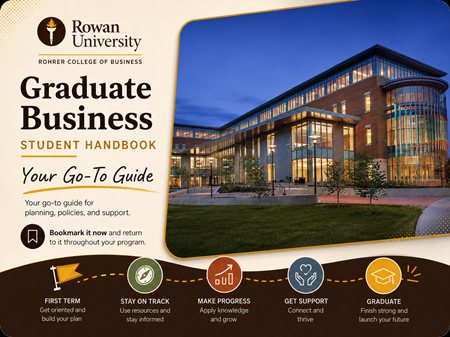
Graduate Business Student Handbook
Your go-to guide for planning, policies, and support.
Bookmark the Graduate Business Student Handbook now. Use it throughout your program for academic planning, registration, advising and coaching, degree requirements, policies, graduation, and other common Graduate Business questions.
Allow Up to 48 Business Hours for Rowan Systems to Update
After you accept your offer and complete any required enrollment deposit, allow up to 48 business hours for your student record and access to Rowan systems to update. This delay also applies to Rowan Success Network and the display of your assigned Academic Advisor or Rowan Online Success Coach.
Activate Your Rowan Account and Email
After your student record updates, activate the Rowan accounts you will use for official communication, advising, registration, and coursework.
- Activate your Rowan Network account. First-time users should select Other Login Options to create a Rowan Network account password.
- Set up Duo multi-factor authentication.
- Access your Rowan email account and begin checking it regularly.
- Contact Rowan IRT Support if you experience problems activating or accessing your account.
Connect with Your Academic Support Team
Meeting with your Academic Advisor or Rowan Online Success Coach is a key early step in your graduate journey. Your assigned support person can help you understand your academic pathway, plan your first term, and prepare for registration.
After the 48-business-hour update period, use Rowan Success Network to identify and schedule with your assigned support person.
Schedule Through Rowan Success Network
Get Help Before Your Assignment Appears
- Students working with the campus-based and hybrid advising team may email GraduateBusinessStudies@rowan.edu.
- Students working with Rowan Online may email onlinestudents@rowan.edu.
MBA Students: Review Your Degree Options Before Planning Your First Term
If you have been admitted to the MBA, review the 36-credit MBA, 30-credit MBA, and distinct 36-credit STEM MBA before finalizing your academic plan. The best fit depends on what you want to build into the degree and how completed or planned coursework applies.
After reviewing the options, connect with your Academic Advisor or Rowan Online Success Coach for individualized planning.
Prepare for Course Planning and Registration
Review your academic information and become familiar with Rowan’s planning and registration tools before meeting with your Academic Advisor or Rowan Online Success Coach. DegreeWorks, Section Tally, and Self-Service Banner serve different purposes and work best when used together.DegreeWorks
Use DegreeWorks to review your degree requirements, completed and remaining coursework, Foundation requirements, GPA information, and Concentration requirements. DegreeWorks is available through Self-Service Banner and remains an important planning tool throughout your graduate program.
Section Tally
Use Section Tally to review current course offerings, delivery formats, meeting schedules, prerequisites, restrictions, and seat availability.
Self-Service Banner
Use Self-Service Banner to register for courses and access important student-record and billing functions. Meet with your Academic Advisor or Rowan Online Success Coach before registering if you need help selecting courses or understanding how they apply to your program.
|
Need more ongoing registration and planning guidance? Use the Graduate Business Student Handbook for course planning, registration, academic progress, and other common student questions. |
Review Your Foundation Requirements
Your admission decision and DegreeWorks record indicate whether you need to satisfy Foundation requirements. Review them early because they may affect your course sequence and first-term plan. Graduate Business Foundation Requirements provides current completion options, documentation guidance, and planning information.
Complete University Requirements That Apply to You
Some University processes can affect enrollment, billing, account access, or readiness for the term. Complete the items that apply to you.
- Complete Required or Common University Steps
- Health and Immunization Requirements: Review and complete Rowan’s current health and immunization requirements.
- Health Insurance: Matriculated, full-time students should review current health insurance requirements and waiver instructions.
- Billing, Payment, eRefund, and Financial Aid: Review your student account, payment options, financial aid status, and eRefund setup as applicable.
- Additional University Resources and Services
- Accessibility Services: Connect with Rowan’s Office of Accessibility Services if you are seeking academic accommodations.
- RowanCard: Review RowanCard options if you plan to use campus services that require a University identification card.
Information for International Students
International graduate business students complete the same core onboarding steps on this page. Visit the International Student Hub for Rowan-specific guidance about admission, immigration and visa responsibilities, academic planning, Foundation requirements, and resources available through International Admissions and the International Center.
Prepare for Your First Term
- Confirm your course schedule, delivery format, meeting dates, and course start and end dates in Section Tally.
- Log in to Canvas and review course information as it becomes available.
- Monitor your Rowan email and Canvas notifications for messages from instructors.
- Review applicable academic dates, including add, drop, and withdrawal deadlines.
- Confirm that you have completed required University processes and resolved any registration holds.
Keep the Graduate Business Student Handbook With You
Completing this page helps you get ready to begin your first term. From there, the Graduate Business Student Handbook becomes your ongoing guide throughout your program.Use the Handbook for:
- academic planning and degree progress
- registration and course planning
- advising and Rowan Online Success Coaching
- program and Concentration requirements
- policies and procedures
- graduation and certificate completion
- answers to common Graduate Business questions
Bookmark it now so it is easy to return to before registration each term and whenever you have a question about your program.